How to watch The Garden Cup live from Madison Square Garden in the UK, USA and Australia featuring Aryna Sabalenka, Naomi Osaka, Nick Kyrgios and Tommy Paul
Tennis News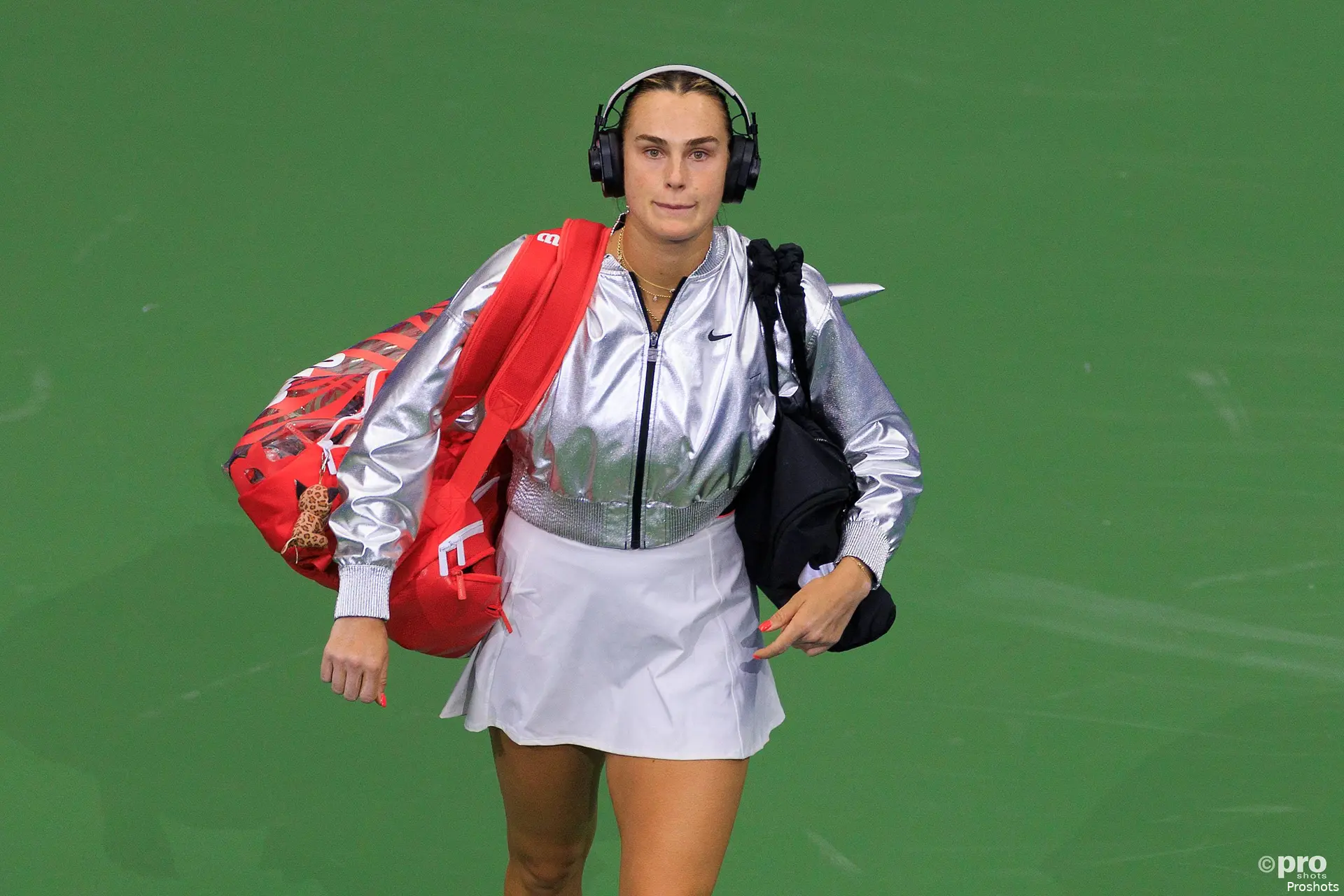
The Garden Cup will take place on December 8, 2025 with another night of exhibition action from the world famous Madison Square Garden featuring four of the best players and entertainers in the sport and it will be broadcast live.
It will be shown on Tennis Channel at around 7pm (12am GMT/ 1am CET and 10am AEST). This can be found throughout the world on subscription basis including the UK. As well as simulcasted in the New York tri-state area on MSG Networks.
As per Tennis Channel, their international app has been discontinued for now but the channel can still be found via a variety of means including in the UK to watch the event if not on the dedicated channel in the States.
Long-time Tennis Channel commentator, Brett Haber will lead the announce team as well as Sam Querrey and sports anchor Carolyn Manno. It will begin at 7:00pm ET on Tennis Channel 2 and the Tennis Channel App with a replay at the same time the day after.
World No.1 and four-time Grand Slam champion Aryna Sabalenka leads the field of global stars including four-time Grand Slam winner and former World No.1 Naomi Osaka as well as Wimbledon finalist Nick Kyrgios and Olympic medalist Tommy Paul. An event that benefits the International Tennis Hall of Fame, it marks its 12th year and provides electrifying tennis matchups in a globally renowned setting.
How to watch Garden Cup internationally
Amazon Prime
- Open the Prime Video app or visit the Amazon Prime Video website
- Navigate to the Live TV section
- Select Sports from the categories
- Scroll to find and select Tennis Channel
LG (LG Channels / LG TV Plus)
- Turn on your LG Smart TV
- Press the Home button on your remote
- Launch the LG Channels app or select Live TV from the launcher bar
- Browse the channel guide or use the search function to find and select Tennis Channel
Rakuten TV (UK)
- Open the Rakuten TV app or visit rakuten.tv
- Navigate to the “Live TV” section
- Select "Sports" under the favourites tab on the left side and then scroll through the channel guide or use search to find Tennis Channel
Samsung (Samsung TV Plus)
- Turn on your Samsung Smart TV
- Launch Samsung TV Plus using the remote button or from the Home menu
- Navigate the channel guide or use the search function
- Select Tennis Channel
FreeLiveSports (SportTribal)
- Open the "FLS - Live Sports" app or visit watch.freelivesports.tv
- Select "Racquet" from the featured categories
- Scroll to find and select Tennis Channel
NetgemTV (SportTribal)
TCL (TCL Channel / Free TV)
- Turn on your TCL TV (Note: Steps may vary slightly by operating system, e.g., Roku or Google TV)
- Press the Home button and open the “Live TV” or “TCL Channel” app
- Use the channel guide to find and select Tennis Channel

Samuel GillEditor-in-Chief
Samuel Gill is the Chief Content Officer (CCO) of TennisUpToDate.com, a role he has held since 2020. He is responsible for editorial governance across the platform, including setting content standards, overseeing accuracy and consistency, and guiding long-term editorial strategy. Since joining, he has contributed more than 10,000 articles and editorial pieces across the TennisUpToDate network, playing a central role in the daily operation and development of the site.
Based in Leicester, Samuel has a broad background in tennis media. In his current role, he works closely with editors and writers to ensure coverage meets clear journalistic standards, with particular attention to verification, consistency, and timely updates when new information becomes available.
claps 0visitors 0
Just In

Popular News
Latest Comments
- A healthy Qinwen may be hard to stop next season. She was already scaring her opponents before her medical leave(s). Unfortunately, Zheng insisted on singing again. On the positive side -- Mirra did not sing!! ;~}
 mandoist11-10-2026
 - Where is it written that athletes, entertainers... People in general... are mandated to keep looking at -- or even using [anti]Social Media? Public & private figures consistently complain and reveal their concerns about negativity and violence thrown at them -- yet they insist on participating. Avoid it, don't use it, don't read it. It's okay to occasionally look up at the World instead beating your eyes & thumbs to death on The Inventions out there.mandoist11-10-2026
- great articlestennisseserver07-10-2026
- Medvedev was leading Djokovic 7-5, 3-5 when an attempted return..' NO you ignorants, Djokovic was leading .weiss05-10-2026
- No more bullshit "Wildcards" to these two. Qualify like everyone else -- there will be cameras there, too. Time to scream... WTF ????!!!!mandoist29-09-2026
- Let's not BS the general public -- Sabalenka started showing cracks in her game last season. Her losses and near-losses started at about the same time she began being distracted by Fame (constant Selfies, making TV commercials, magazine shoots, endless Social Media nonsense, etc., etc.) One would think even Saba could recognize the parallels with others who failed before her -- Raducanu, Giorgi, Bouchard to name a few.mandoist25-09-2026
- Gross!! Hey Raducanu, Giorgi, and Bouchard -- reserve a seat at your Social Media Selfie table for Saba + Naomi. They're heading in your direction soon enough.mandoist24-09-2026
- And then these same players will complain about how lengthy their season’s were and need more time-off. I’m all for more tennis but the amount of tennis we get now is actually kind of crazy! We all need a break, especially the players.DaveyWavey23-09-2026
- You should do a comparison article for "different kinds of justice" the courts decide for tennis players. I can think of at least three players who received very small bans of a few months, however Tara Moore has been fighting for her literal survival the past few years. It seems odd considering she is not a "name" player, unlike the other cases.DaveyWavey22-09-2026
- PRIZE MONEY & POINTS Winner - $185,500 Finalist - $114,500 Semi-Finalist - $66,003 Quarter-Finalist - $35,000 Round of 16 - $18,045 Round of 32 - $13,005 Winner - 500 Finalist - 325 Semi-Finalist - 195 Quarter-Finalist - 108 Round of 16 - 60 Round of 32 - 1DaveyWavey20-09-2026

Loading